MooseFS 4.x Documentation
MooseFS is a fault-tolerant, scalable distributed file system designed for high-performance storage needs. It enables organizations to efficiently manage large volumes of data across multiple machines while ensuring data redundancy, reliability, and ease of access.
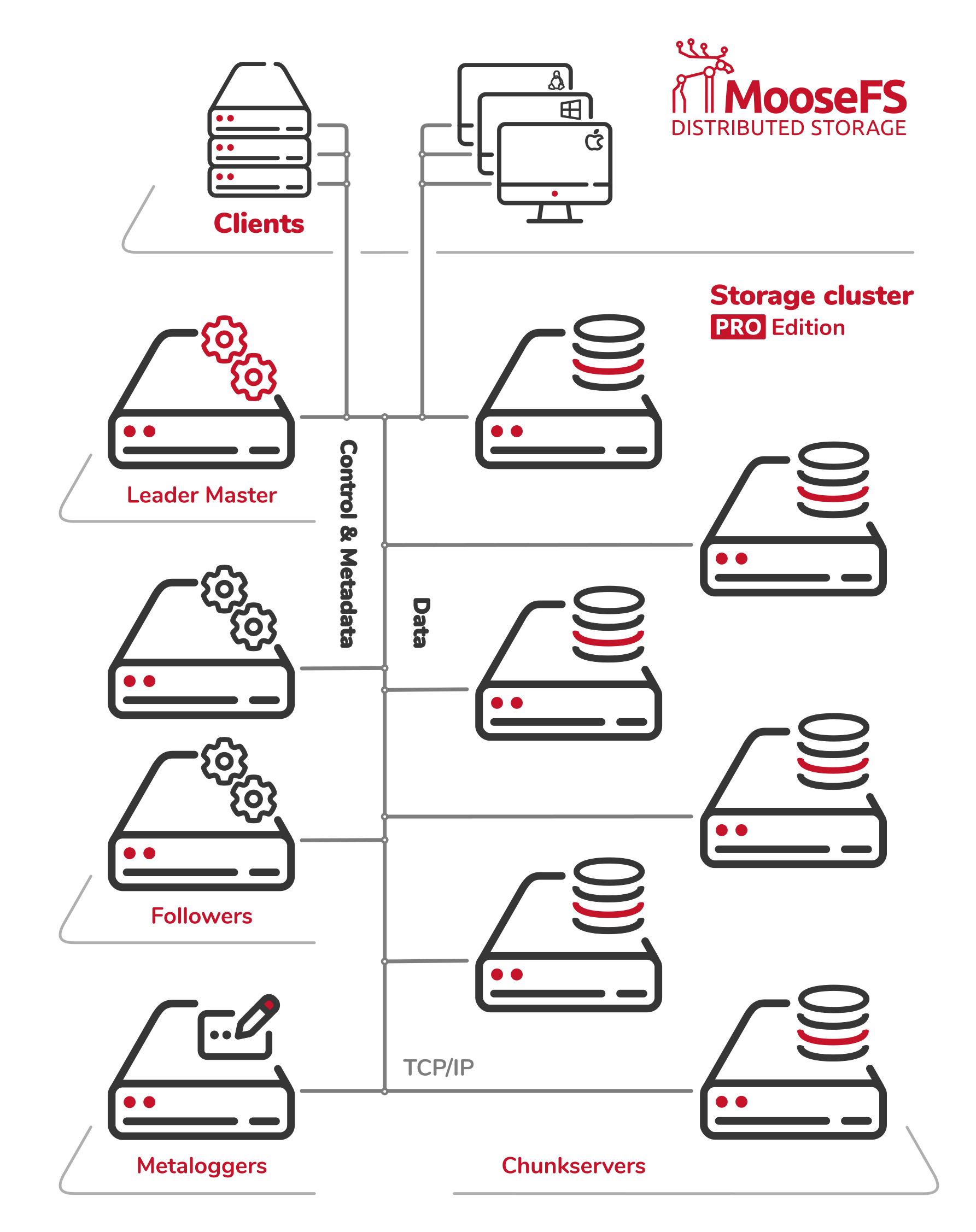
MooseFS PRO architecture
This documentation provides an overview of MooseFS, including its key features, installation steps, configuration guidelines, and best practices for optimizing performance. Whether you are a system administrator, developer, or IT professional, this guide will help you understand how to deploy and manage MooseFS effectively.
Sections
The documentation is organized into the following sections:
- Overview – Introduction to MooseFS, its purpose, and core capabilities.
- Design & Architecture – Explanation of system components, architecture, and data flow.
- Technical Insights – In-depth look at how MooseFS works under the hood.
- Requirements – Hardware, software, and environment prerequisites for deployment.
- Installation – Step-by-step instructions for installing MooseFS on supported systems.
- Man Pages – Reference for command-line tools and configuration files (external).
- Observability – Tools and techniques to track system performance and health.
- Upgrade – Guidance on safely upgrading MooseFS to newer versions.
- Usage Scenarios – Real-world applications and deployment examples.
- Integrations – Ways to connect MooseFS with other tools, platforms, and services.
- Troubleshooting – Common issues and how to resolve them.
- Licensing – Details on the licensing terms and open-source compliance.
This documentation covers both MooseFS PRO and MooseFS Community Edition (CE) features. Unless otherwise specified, all features described herein are available in both editions. Functionalities exclusive to MooseFS PRO are clearly indicated with the "PRO" icon.
Man Pages
Some parts of the documentation are installed alongside the MooseFS software and can be accessed through system manual (man) pages. They mostly cover command-line tools and configuration files details. For convenience, an online version of these man pages is also available at moosefs.com/manpages/.
Disclaimer
The MooseFS documentation is a work in progress. We are continuously updating and expanding it. It is subject to change at any time without prior notice.
While we make every effort to ensure the accuracy, clarity, and reliability of the information provided, all content in this documentation is offered “as is,” without any warranties of any kind, whether express or implied. Saglabs SA, MooseFS team and its contributors assume no responsibility for any errors, omissions, or outcomes resulting from the use of this documentation. If you notice any inaccuracies or have suggestions for improvement, please report them to: support@moosefs.com.
Credits
Created by Saglabs SA, the company behind MooseFS.
Contributors: Małgorzata Antosik, Piotr Konopelko, Agata Kruszona-Zawadzka, Krzysztof Krygiel, Aleksander Wieliczko, Jakub Ratajczak.
License
This documentation is licensed under the Creative Commons Attribution–NonCommercial–ShareAlike (CC BY-NC-SA) License.